Showing posts with label Microsoft. Show all posts

12 February 2022

I updated my AZ-400 repository

I have a repository with auxiliary resources from AZ-400 - Training - Microsoft Azure DevOps Solutions so that my trainees are well prepared to use Azure DevOps.

 I updated and reformulated the information, links, e-books and others. 

The repository is available here: https://github.com/rramoscabral/AZ-400---Training---Microsoft-Azure-DevOps-Solutions

2 March 2021

Microsoft Ignite 2021

Today the expected Microsoft Ignite 2021 begins.

Watch the Microsoft Ignite 101 video and discover everything you need to know to get the most out of your Microsoft Ignite experience.


More resources about Microsoft Ignite 2021:
Keynote Session: Join Satya Nadella and Alex Kipman in a whole new kind of Keynote in Altspace VR.
Featured Sessions: Hear from Microsoft leaders on announcements and news.
Table Talks: Connect with community leaders on topics that are important to you.
Ask the Experts: Dive into your questions in a session with Microsoft experts.
Intro to Tech Skills: Are you new to the tech industry? Make sure you check out the full lineup of Intro to Tech Skills content.
Learn Live: Guided workshops to the most popular Microsoft Learn modules.
One-on-one consultation: Do you need expert advice on your current project, or do you have questions on a specific topic? Schedule your 45-minute consultation with an expert today.
Microsoft Virtual Training Days: Continue your learning journey with Microsoft Virtual Training Days that provide free, instructor-led, technical skilling in multiple languages and time zones across a variety of topics.
Product Roundtable: Microsoft needs your help to shape the future of products and solutions. Join a product roundtable to give your feedback and let your voice be heard.
Join Mitra Azizirad, CVP of AI & Innovation Marketing, to learn how Microsoft approaches innovation in her Envisioning Tomorrow keynote, 11:00 AM and 8:30 PM PT, March 2.

1 October 2020

No time limit on meetings for free version of Microsoft Teams


Do you use free version of Microsoft Teams?

The feature most requested by free users is now available to all Microsoft Teams users and there is no time limit on meetings in the free version of Microsoft Teams.


You don't know how to started with free meetings in Microsoft Teams? 

  • Follow the following guide here.

21 September 2020

Get a free Microsoft certification exam by participating in Ignite 2020

It is no the first time that Microsoft has offered a Microsoft certification exam at online events. 


With Microsoft Ignite 2020 Microsoft will offer a certification exam with Microsoft Ignite Cloud Skills Challenge to all participants who complete a collection on the challenges to be defined.


The page about Ignite Cloud Skills Challenge 2020 contains information about the exams you can take and the terms and conditions here: https://docs.microsoft.com/en-us/learn/certifications/microsoft-ignite-cloud-skills-challenge-2020-free-certification- exam.


If you want to participate in Microsoft Ignite Cloud Skills Challenge use the following link: https://csc.docs.microsoft.com/ignite/registration.


NOTE: Registration will be available on September 22, 2020 at 12:00 Pacific Daylight Time (PDT).

1 May 2020

Microsoft Build digital experience May 19-20.


Due to the global epidemic, Microsoft Build (For developers by developers) will be 100% virtual.


Registration is FREE and is open here: https://mybuild.microsoft.com/


It will be 48 hours non-stop during May 19-20, 2020.


Take the opportunity to see live sessions with Microsoft engineers and Q&A.


”Instead of you coming to me, we’ll come to you.”, Scott Hanselman

28 February 2020

The end of Microsoft MCSA, MCSD and MCSE certifications

As of June 30, 2020, the following Microsoft certifications will retire:
  • MCSA: BI Reporting
  • MCSA: Dynamics 365 for Operations
  • MCSA: SQL 2016 BI Development
  • MCSA: SQL 2016 Database Admin
  • MCSA: SQL 2016 Database Dev
  • MCSA: SQL Server 2012/2014
  • MCSA: Universal Windows Platform
  • MCSA: Web Applications
  • MCSA: Windows Server 2012
  • MCSA: Windows Server 2016
  • MCSD: App Builder
  • MCSE: Business Applications
  • MCSE: Core Infrastructure
  • MCSE: Data Management & Analytics
  • MCSE: Productivity

Microsoft Learning is encouraging certification in existing functions roles in the market, such as Microsoft Azure (cloud), Modern Desktop.

The following image shows the recommended role-based certifications:


The following image represents the alternatives for those working with the Microsoft data platform (SQL Server, Power BI, ...) For example Database Administrator, Data Analyst..


For those who are waiting for the new dedicated Windows Server 2019 and/or SQL Server 2019 certifications, Microsoft Learning has made the following statement:
  • No, there will be no Windows Server 2019 and SQL Server 2019 certifications. Windows Server 2019 and SQL Server 2019 content will be included in role-based certifications, as needed for certain work roles in the Azure and Data infrastructure and application areas and IA.

So what will happen to the MCSA, MCSD, and MCSE certifications that we have?
  • These will remain in the certification transcript.

Is it still possible to do some of these certifications?
  • Yes, until June 30, 2020 you can do any certification that is on the list above. After this date it will not be possible.

What about Microsoft Office Specialist (MOS) certifications?
  • To date, there is no information that MOS certifications will be affected or retire.

What about Microsoft Technology Associate (MTA?
  • To date, there is no information that MTA certifications will be affected or retire.

Is there an official communicative from Microsoft Learning?
  • Yes, you can consult here.

Please note that the following exams will be withdrawn from 30 June 2020:
  • 70-333: Deploying Enterprise Voice with Skype for Business 2015
  • 70-334: Core Solutions for Microsoft Skype for Business 2015
  • 70-339: Managing Microsoft SharePoint Server 2016
  • 70-345: Designing and Deploying Microsoft Exchange Server 2016
  • 70-457: Developing Mobile Apps
  • 70-410: Installing and Configuring Windows Server 2012
  • 70-411: Administering Windows Server 2012
  • 70-412: Configuring Advanced Windows Server 2012 Services
  • 70-413: Designing and Implementing a Server Infrastructure
  • 70-414: Implementing an Advanced Server Infrastructure
  • 70-417: Upgrading Your Skills to MCSA Windows Server 2012
  • 70-461: Querying Microsoft SQL Server 2012/2014
  • 70-462: Administering Microsoft SQL Server 2012/2014 Databases
  • 70-463: Implementing a Data Warehouse with Microsoft SQL Server 2012/2014
  • 70-464: Developing Microsoft SQL Server 2012/2014 Databases
  • 70-465: Designing Database Solutions for Microsoft SQL Server
  • 70-466: Implementing Data Models and Reports with Microsoft SQL Server
  • 70-467: Designing Business Intelligence Solutions with Microsoft SQL Server
  • 70-480: Programming in HTML5 with JavaScript and CSS3
  • 70-483: Programming in C#
  • 70-486: Developing ASP.NET MVC Web Applications
  • 70-487: Developing Microsoft Azure and Web Services
  • 70-537: Configuring and Operating a Hybrid Cloud with Microsoft Azure Stack
  • 70-705: Designing and Providing Microsoft Licensing Solutions to Large Organizations
  • 70-740: Installation, Storage, and Compute with Windows Server 2016
  • 70-741: Networking with Windows Server 2016
  • 70-742: Identity with Windows Server 2016
  • 70-743: Upgrading Your skills to MCSA: Windows Server 2016
  • 70-744: Securing Windows Server 2016
  • 70-745: Implementing a Software-Defined Datacenter
  • 70-761: Querying Data with Transact-SQL
  • 70-762: Developing SQL Databases
  • 70-764: Administering a SQL Database Infrastructure
  • 70-765: Provisioning SQL Databases
  • 70-767: Implementing a Data Warehouse using SQL
  • 70-768: Developing SQL Data Models
  • 70-777: Implementing Microsoft Azure Cosmos DB Solutions
  • 70-778: Analyzing and Visualizing Data with Microsoft Power BI
  • 70-779: Analyzing and Visualizing Data with Microsoft Excel
  • MB2-716: Microsoft Dynamics 365 Customization and Configuration
  • MB6-894: Development, Extensions and Deployment for Microsoft Dynamics 365 Finance
  • MB6-897: Microsoft Dynamics 365 for Retail
  • MB6-898: Microsoft Dynamics 365 Human Resources

14 February 2020

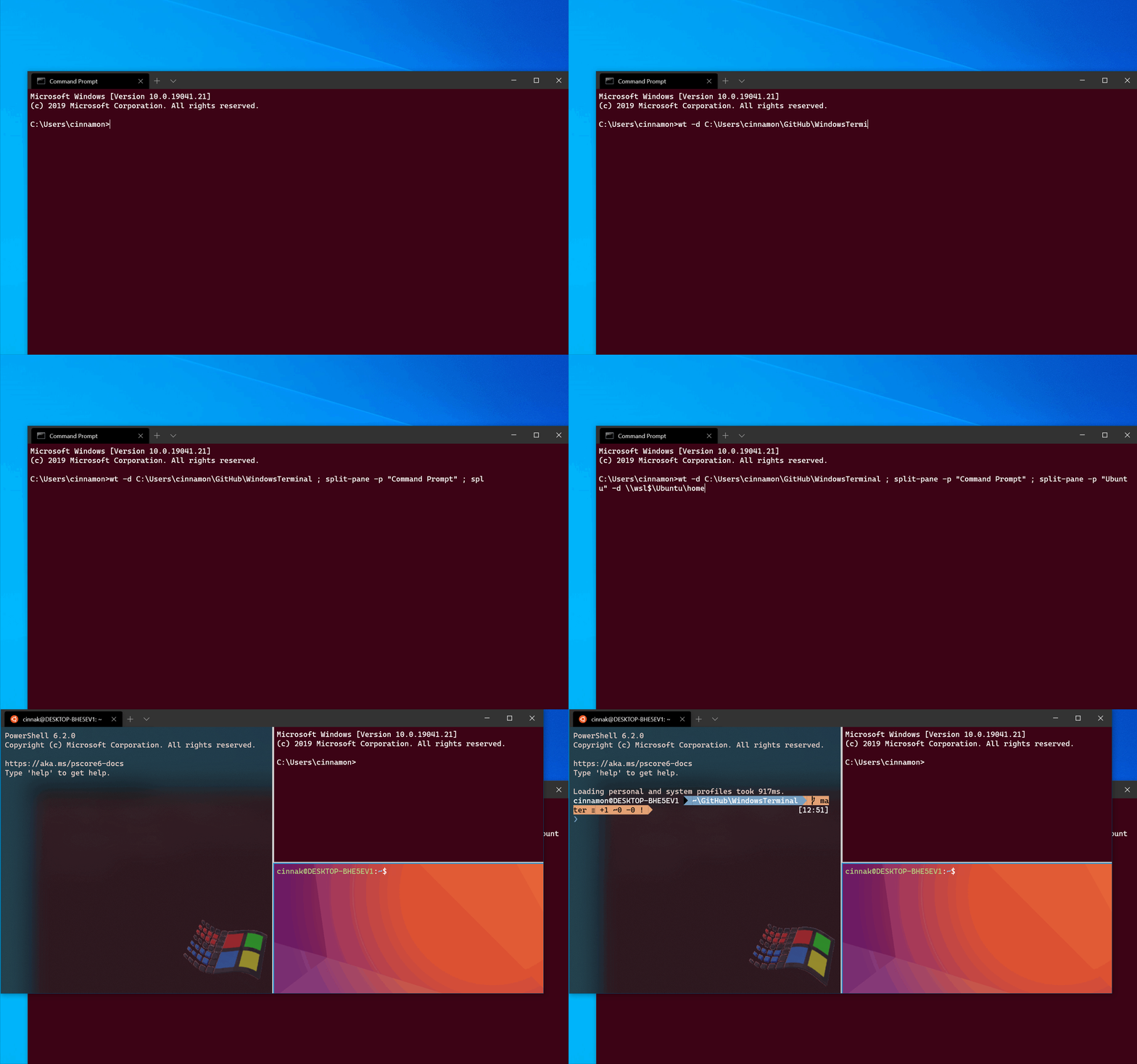
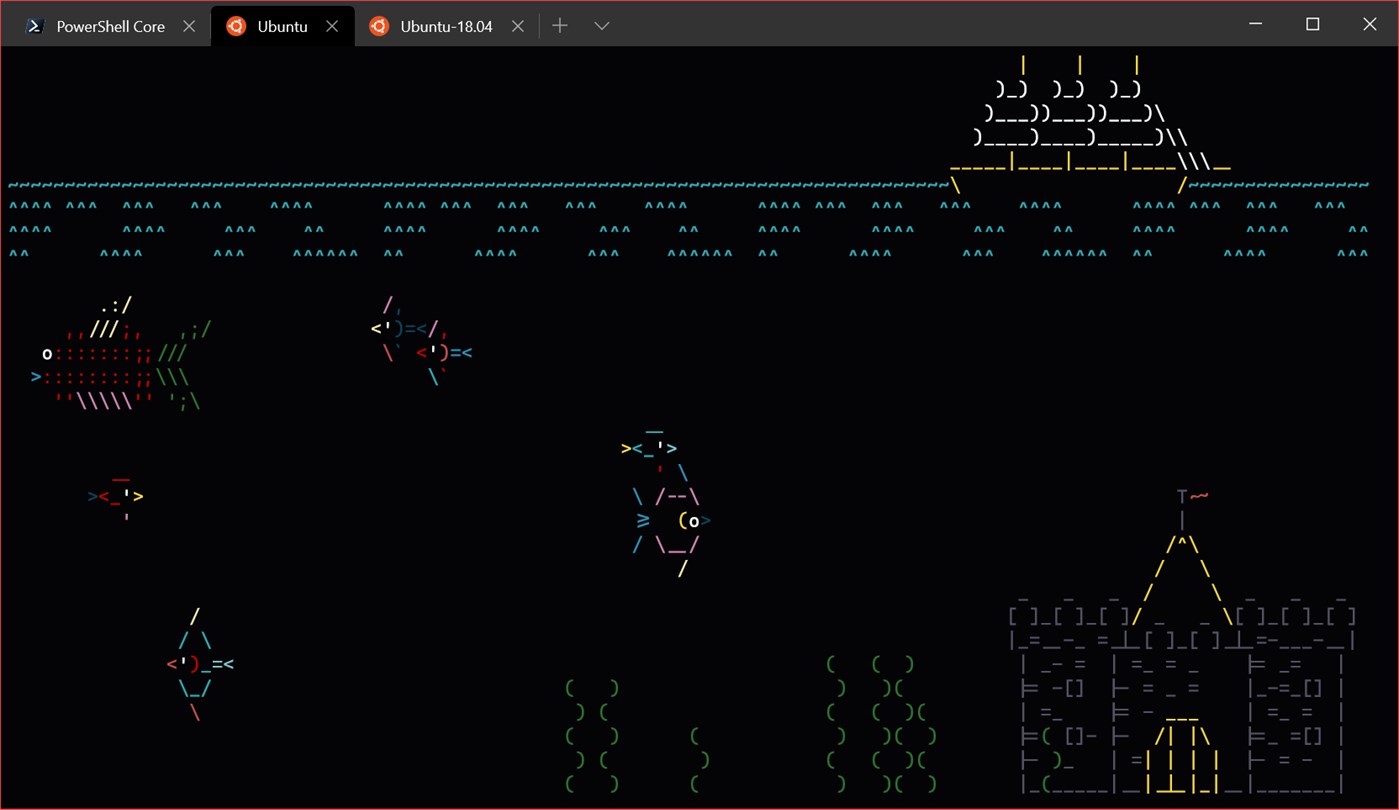
Windows Terminal Preview v0.9.433.0

It's available the new release of Windows Terminal Preview

What is Windows Terminal Preview?

Windows Terminal is an application that is actually a new modern and productive terminal for users who normally work with command line tools such as Windows PowerShell, bash, shells and Windows Subsystem for Linux (WSL).


Supports Unicode and UTF-8 characters, text rendering engines, themes, styles and custom settings.

You can consult all the news of the release in the project repository on GitHub here: https://github.com/microsoft/terminal/releases

It is a completely free and open source application in which everyone can participate here  https://github.com/microsoft/terminal.

You can install from the Microsoft Store on Windows 10 or here: https://www.microsoft.com/en-us/p/windows-terminal-preview/9n0dx20hk701.


For those who need or work with several shell, command prompt, Windows Subsystem for Linux (WSL) or even PowerShell on Windows 10, I recommend Windows Terminal.


10 December 2019

Microsoft Anivirus for Windows 7 will end!!!

Microsoft Security Essentials is free antivirus for end users and small companies up to 10 computers. 

This publication is intended to inform that support for Microsoft Security Essentials will end 14 January, 2020.

So, if you use legacy software in Window 7 maybe you need to think to change your antivirus or try to move to Windows 10.

What is the Microsoft recommendation?
  • Recommend you move to a Windows 10 PC to continue to receive security updates from Microsoft.
Source: https://support.microsoft.com/en-us/help/14210/security-essentials-download


Some users already receiving a warning about  the ending suport for Microsoft Windows 7. The following image is one of the examples.


Safety is one of the topics that should not be ignored. But unfortunately it is still quite ignored by users that both home and organizational included decision makers and administrators of the organization itself.


25 August 2019

If you are taking a Microsoft exam online, read before

If you are taking a Microsoft exam online, read before

There are two ways to take a Microsoft exam:
  • In an examination center
  • Online and you can take the exam anywhere as long as you have a computer with a webcam and connected to Internet

What is the difference between the two?

Basically, it is the comfort.

Some people like to make the exam in examination center, and we will get a pen and a paper so that we can make notes for answering the question. At the end you must return the pen and the paper note.

Other like to make the exam at home or other location. But there are a lot of restrictions. For example, all notes are taken digitally by the following feature https://home.pearsonvue.com/Documents/Technical-specifications/Online-Proctored/online-proctored-whiteboard-overview.aspx).

You may also want to know the specifics restriction on how to prepare for the online exam


You should test your software at https://www.microsoft.com/en-us/learning/online-exams.aspx.

What is important to know if you are taken the exam online.

Andy Malone is a Microsoft Certified Trainer (MCT) and Microsoft MVP he has had some issues and warned of some situations.

He recommends that you do the following:
  1. During the registration process you will receive a code notification to start the exam. Do not delete this message and note the code.
  2. Do not schedule your exams for a Saturday or for the end of the day, especially at night. The Pearson Vue will use artificial intelligence (AI) if there is no one available, and you won’t be able to call for help.
  3. If you need or have any problems/issues call the support number or use chat.
  4. Andy Malone noted that it is very important to disable any notification system. That are pop-ups or any type of notifications like Windows 10 Toast Notifications. The notifications will end your exam, so disable them for Windows or Mac OS.
  5. Don't cover your mouth, read the questions out loud, don't talk to yourself, or look around. Any of the proposed actions on exam will cause the exam to be canceled. And the examiner will only warn once.

You can consult the Andy Malone blog post at: https://www.andymalone.org/post/taking-an-proctored-microsoft-exam-you-need-to-read-this

It’s recommended that you have/do:
  • Good Internet access connectivity because any Internet issues or connection fail the exam will terminate, and you cannot resume it.
  • A place with good lighting.
  • Prepare to be in place for 2 or 3 hours without moving, that is, you cannot move a chair, you cannot stretch your arms, among other situations.
  • Before starting, clean and remove any paper, folder, dossier, notebooks, etc from your workplace.
  • And remember you will be monitored by WebCam do not make any funny faces, do not put your hands on the head and others
  • Any outside noise can terminate the exam.

All certification exam policies can be found here.

16 July 2019

New Microsoft Certifications

Over the last year, Microsoft has rolled out 23 new certifications.

To help orient you in the new program, below is a table showing how the 70-xxx exams align to our new certification program.


Exam Number Exam Name Replacement Certification
70-331 Core Solutions of Microsoft SharePoint Server 2013 Teamwork Administrator  (MS-300, MS-301)
70-332 Advanced Solutions of Microsoft SharePoint Server 2013 Teamwork Administrator  (MS-300, MS-301)
70-341 Core Solutions of Microsoft Exchange Server 2013 Messaging Administrator  (MS-200, MS-201)
70-342 Advanced Solutions of Microsoft Exchange Server 2013 Messaging Administrator  (MS-200, MS-201)
70-346 Managing Office 365 Identities and Requirements Microsoft 365 Enterprise Administrator (MS-100, MS-101)
70-347 Enabling Office 365 Services Microsoft 365 Enterprise Administrator (MS-100, MS-101)
70-473 Designing and Implementing Cloud Data Platform Solutions Azure Data Engineer (DP-200, DP-201)
70-475 Designing and Implementing Big Data Analytics Solutions Azure Data Engineer (DP-200, DP-201)
70-532 Developing Microsoft Azure Solutions Azure Developer (AZ-203)
70-533 Implementing Microsoft Azure Infrastructure Solutions Azure Administrator (AZ-103)
70-535 Architecting Microsoft Azure Solutions Azure Solutions Architect (AZ-300, AZ-301)
70-695 Deploying Windows Desktops and Enterprise Applications Modern Desktop Administrator (MD-100, MD-101)
70-697 Configuring Windows Devices Modern Desktop Administrator (MD-100, MD-101)
70-698 Installing and Configuring Windows 10 Modern Desktop Administrator (MD-100, MD-101)
70-773 Analyzing Big Data with Microsoft R Azure Data Scientist (DP-100)
70-774 Perform Cloud Data Science with Azure Machine Learning Azure Data Scientist (DP-100)
70-775 Perform Data Engineering on Microsoft Azure HDInsight Azure Data Engineer (DP-200, DP-201)
70-776 Engineering Data with Microsoft Cloud Services Azure Data Engineer (DP-200, DP-201)
AZ-100 Microsoft Azure Infrastructure and Deployment Azure Administrator (AZ-103)
AZ-101 Microsoft Azure Integration and Security Azure Administrator (AZ-103)
AZ-102 Microsoft Azure Administrator Certification Transition Exam Azure Administrator (AZ-103)
AZ-200 Microsoft Azure Developer Core Solutions (beta) Azure Developer (AZ-203)
AZ-201 Microsoft Azure Developer Advanced Solutions (beta) Azure Developer (AZ-203)
AZ-202 Microsoft Azure Developer Certification Transition (beta) Azure Developer (AZ-203)
AZ-302 Microsoft Azure Solutions Architect Certification Transition (beta) Azure Solutions Architect (AZ-300, AZ-301)
MB2-715 Microsoft Dynamics 365 Customer Engagement Online Deployment Dynamics 365 Certification (MB-200, which is a prerequisite for several Dynamics 365 certifications)
MB2-717 Microsoft Dynamics 365 for Sales Dynamics 365 for Sales (MB-210)
MB2-718 Microsoft Dynamics 365 for Customer Service Dynamics 365 for Customer Service (MB-230)
MB2-719 Microsoft Dynamics 365 for Marketing Dynamics 365 for Marketing (MB-220)
MB2-877 Microsoft Dynamics 365 for Field Service Dynamics 365 for Field Service (MB-240)
MB6-895 Financial Management in Microsoft Dynamics 365 for Finance and Operations Dynamics 365 for Finance and Operations, Financials (MB-310)
MB6-896 Distribution and Trade in Microsoft Dynamics 365 for Finance and Operations Dynamics 365 for Finance and Operations, Supply Chain Management (MB-330)
MS-202 Microsoft 365 Messaging Administrator Certification Transition Messaging Administrator (MS-200, MS-201)
MS-302 Microsoft 365 Teamwork Administrator Certification Transition Teamwork Administrator Certification (MS-300, MS-301)

20 March 2019

Save on Microsoft Official Practice Tests


During March 2019, you can save 25% on ALL Microsoft Official Practice Tests purchased at mindhub.com.

You can have access to the test for 30 to 60 days.

To claim this offer, you should enter the promotional code MCP25 at checkout.

This Offer ends March 31, 2019.

8 March 2019

Source code for the Microsoft calculator is available on GitHub

Microsoft has made available the source code for their calculator that is included with the Microsoft Windows operating system.

The documentation can be consulted here.


Credits: Microsoft

The source code is available on GitHub: https://github.com/Microsoft/calculator


Anyone can participate in the development of Windows Calculator. According to the following
announcement:
In addition to reusing and adapting the code in your own apps, anyone can participate in the development of Windows Calculator. Getting involved is simple. The project is “clone-and-go” and development will follow the standard GitHub flow. There are many ways for developers at all stages to contribute:
  • Participate in discussions
  • Report or fix issues
  • Suggest new feature ideas
  • Prototype new features
  • Design and build together with our engineers


The source code is great for anyone who wants to learn how to create applications in XAML even though the programming language used is in C ++.

However it is recommended to have the following requirements::
  • Windows 10, version 1803 or newer.
  • Latest version of Visual Studio.

23 February 2019

Sysinternals Video Library - Tour of the Sysinternals Tools

Today Mark Russinovich in his Twitter account @markrussinovich, announced that

/ 
David Solomon and Mark Russinovich have allowed the posting the Sysinternals Video Library, 6 DVDs that they made in 2006, for FREE VIEWING.

https://twitter.com/markrussinovich/status/1099016584708923404


Steven Whiting shared the response received by e-mail from Mark Russinovich:

From: Mark Russinovich Mark.Russinovich@microsoft.com
Sent: 20 December 2018 20 : 19 To: Steven Whiting Subject
RE: Sysinternals Video Library 2006
We’re both okay with you posting them.


 This is the first video from Sysinternals Video Library


 You can view the playlist in:


Despite being from 2006 has its historical factor.

14 February 2019

Upcoming Microsoft Course Retirements

Microsoft standard courses are used when technology changes, functionality, new versions and updates.

These are the following courses that will be removed.

Microsoft is retiring the following courses on March 31, 2019: 
  •  10996A: Hybrid Cloud and Datacenter Monitoring with Operations Management Suite (OMS) (OMS is deprecated.)
  • 40457A: MOC Workshop: Azure Developer Hackathon
  • 40500A: DevOps Workshop (replaced by AZ-400 curriculum) 
Microsoft is retiring the following courses from our course catalog on June 30, 2019:
  •  20347A: Enabling and Managing Office 365 (replaced by courses aligned to exams MS-100: Microsoft 365 Identity and Services and MS-101: Microsoft 365 Mobility and Security)
  • 20697-1D: Implementing and Managing Windows 10 (replaced by courses aligned to MD-100: Windows 10 and MD-101: Managing Modern Desktops) 
  • 20697-2C: Deploying and Managing Windows 10 Using Enterprise Services (replaced by courses aligned to MD-100: Windows 10 and MD-101: Managing Modern Desktops
  • 20698B: Installing and Configuring Windows 10 (replaced by courses aligned to MD-100: Windows 10 and MD-101: Managing Modern Desktops
You can consult the list of upcoming exams scheduled to retire here.

You can view course retirements history here.

17 July 2018

Administrative Templates (.admx) for Windows 10 April 2018 Update (1803)

Is available the Administrative Templates (.admx) for Windows 10 April 2018 Update (1803).


Group Policy tools use Administrative template files to populate policy settings in the user interface.

This allows administrators to manage registry-based policy settings.

The admx for Windows 10 April 2018 Update (1803) include the following languages:
  • cs-CZ Czech - Czech Republic
  • da-DK Danish - Denmark
  • de-DE German - Germany
  • el-GR Greek - Greece
  • en-US English - United States
  • es-ES Spanish - Spain
  • fi-FL Finnish - Finland
  • fr-FR French - France
  • hu-HU Hungarian - Hungary
  • it-IT Italian - Italy
  • ja-JP Japanese - Japan
  • ko-KR Korean - Korea
  • nb-NO Norwegian (Bokmål) - Norway
  • nl-NL Dutch - The Netherlands
  • pl-PL Polish - Poland
  • pt-BR Portuguese - Brazil
  • pt-PT Portuguese - Portugal
  • ru-RU Russian - Russia
  • sv-SE Swedish - Sweden
  • zh-CN Chinese - China
  • zh-TW Chinese - Taiwan

Supported Operating System

Windows 10 , Windows 7, Windows 8, Windows 8.1, Windows Server 2008 R2, Windows Server 2012, Windows Server 2012 R2, Windows Server 2016

User rights to run the Group Policy Management Editor (gpme.msc) or the Group Policy Object Editor (gpedit.msc).

12 July 2018

Introducing Microsoft Office 365 Attack Simulator


Office 365 Threat Intelligence brings you a new attack simulator. Run spear phishing, brute force, and password spray attacks to determine vulnerability, see tools to setup proactive mitigation.

You can watch the setup and demo here:


Source: Microsoft Mechanics 

10 April 2018

Project Honolulu

The Project "Honolulu" is a unified system of administration tools requested by many system administrators, users, and other that use Windows and/or Windows Server.

It is managed through an Internet browser that allows the administration of local and remote machines including machines in the cloud whether is in Azure, AWS or others cloud services.


I created a video demonstrating Microsoft Honolulu and invited it to view.


(Language of the video in Portuguese)

Honolulu is complimentary to System Center and the Operations Management Suite and is not intended to replace these products and services.

However the price is totally free.

I introduce you to the official blog of the product team
https://blogs.technet.microsoft.com/servermanagement/


7 April 2018

Communicate from Skype for business 2015 to external contacts

Skype for business is one of Office 365's most widely used products. In addition to including Skype features, it also includes extra functionality as it can record meetings / presentations.

When we want to have a meeting with a colleague, supplier, friend, ... who has an e-mail account in Office 365, digital address and communication is done, even if it does not belong to the organization.

But when the contact does not have Office 365 Skype for business informs that the contact is unknown and message / communication cannot be sent to due to company policy.
When we want to have a meeting with a colleague, supplier, friend, ... who has an electronic account in Office 365, just digital the address and make the communication, even if it does not belong to the organization.

But when the contact does not have Office 365 Skype for business informs that the contact is unknown and message / communication cannot be sent to due to company policy.


Does this mean that we can only communicate to contacts who only have Office 365?
No!!!

There are two ways to add your organization's external contacts to Skype for business:
  • Skype external ID
  • External e-mail address

Why two forms of identification?

All Microsoft services work through a Federation system, and all contacts must have a valid address that uses the Session Initiation Protocol (SIP). This protocol allows to establish communication through the IP protocol. These are the reasons for using Microsoft services domains.

For Microsoft accounts that do not use microsoft domains (hotmail.com, live.com, outlook.com, ...) in their email address, Microsoft internally replaces them for two domain types. In old accounts uses the domain skypeids.net, currently uses the msn.com domain.


E-Mail address
Skype
Microsoft Account SIP Account
Microsoft Domains Test test@live.com test@live.com
Not Microsoft Domain
 (old accounts)
Test test@gmail.com test@skypeids.net
Not Microsoft Domain
(actual accounts)
Test test@gmail.com test(gmail.com)@msn.com


Summarizing all old accounts use the format <username>@skypeids.net all new accounts use <e-mail ID> (e-mail domain)@msn.com.

Searching external accounts via Skype ID

All Skype accounts have a live ID and can be viewed at https://web.skype.com/en/


To search with the identification is used: <Identification> @ skypeids.net.

If you add this type of contact already will inform that it is offline.
But it can only communicate after receiver accepts the request for contact.


If the recipient does not receive a contact request, then the Microsoft account is not old and does not support the skypeids.net domain. So, it is necessary to search by external e-mail address.


How to search / communicate by external e-mail address

The search form is the same but instead of using the full e-mail address you must search as follows.
Instead of test@domain.com it will be test(domain.com)@msn.com.
What is the best method?

Depending on the contact type is an old account then you should use the format <username> @ skypeids.net. If that does not work, then you must use <e-mail> (email domain) @ msn.com.


Skype for business 2016
If you use Skype for business 2016 you can already search the Skype directory.


30 December 2017

Azure Friday - Use the Azure portal to answer your billing questions


In this Friday Tommy Nguyen joins Scott Hanselman to discuss Billing in the Azure portal. If you're wondering: "Where do I find a copy of my invoice?" or "How does an Azure service affect my overall costs?" - these questions and more will be answered in this episode, which highlights features in the Azure portal to get cost and billing clarity.


Follow @AzureFriday

16 July 2017

Office 365 beware of choosing the domain name onmicrosoft.com

We can test the Microsoft Office 365 service at zero cost with almost all of its features but there is a scramble in using the chosen domain name.

At the end of the trial we can assume that the ID of the internal domain chosen for example test365.onmicrosoft.com is expired after the end of the trial and can be reused later in a new subscription. Well it is not quite like that.

The domain onmicrosoft.com chosen is never expired and can be used later by the global admin subscription to add monthly, annual, or Open License. And it's documented in the Office 365 documentation. The following image shows the Office 365 subscription lifecycle and explains that administrators can always access the subscription even after we received the notification of being deleted the subscription change the stage to deprovisioned.


Source: "What happens to my data and access when my Office 365 for business subscription ends?"

It is possible that another company can acquire the domain name that we had but if we forget the password from global admin user the subscription the only way to recover is to speak with Office 365 technical support by telephone usually the language used is English.

If you attempt to activate a license through the Open license of an account that has already been expired for some time as the following image.


Activation will always inform you that the domain name is being used and you need to choose another domain.


So by testing the Office 365 trial, do not choose names of the organizations where you are working.